
Introduction:
The Shift from Tool Usage to Strategic Leverage
Most individuals still interact with AI the same way they did a few years ago—primarily as a writing assistant. That approach is now obsolete.
Over the past year, artificial intelligence has evolved into a fully capable execution layer. It is no longer limited to content generation; it now supports automation, research synthesis, deployment workflows, and end-to-end product creation.
This article documents a practical transformation—from building a simple weather application to developing a functional web platform—using AI tools, without requiring deep technical expertise.
Quick Summary: To build a scalable digital platform in 2026, you must integrate AI intuition with microservices architecture. Start by developing small-scale applications, like a weather app, to master API integration before moving to cloud-based scaling solutions.
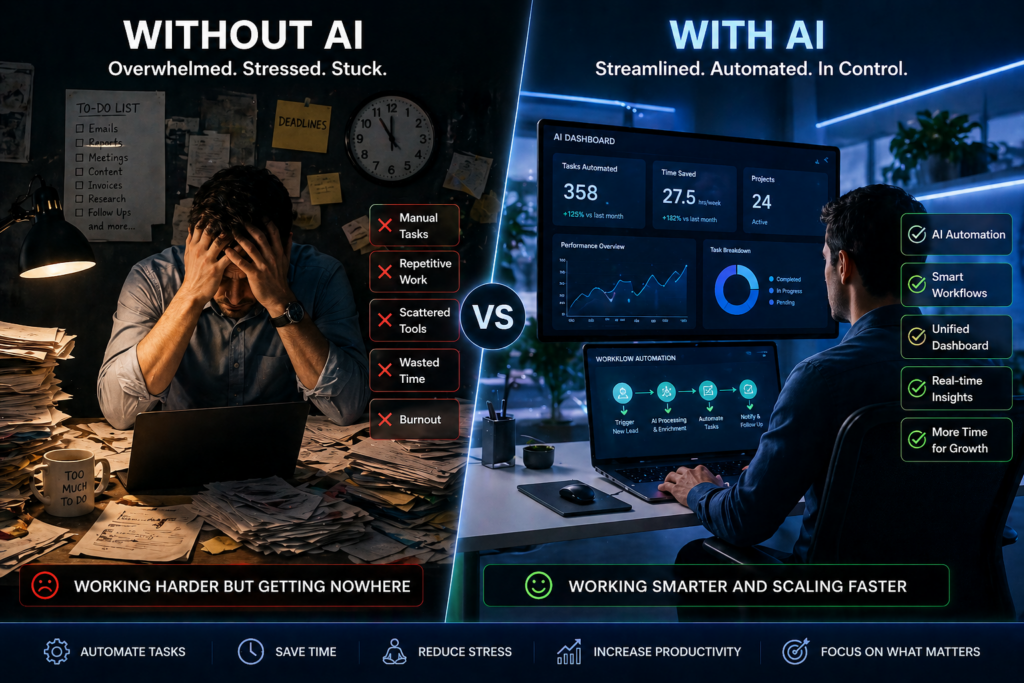
The Core Problem: Activity Without Direction
After analyzing patterns across thousands of digital entrepreneurs, a consistent inefficiency emerges:
- Excessive focus on traffic generation
- Heavy investment in outreach strategies
- Minimal understanding of what actually converts
This results in a significant misallocation of time and resources.
Data consistently shows that many business owners spend a large portion of their time on tasks that are either low-impact or fully automatable.
The real constraint is not technical skill—it’s the absence of structured decision-making and what can be defined as AI-driven intuition.
What Is AI Intuition?
AI intuition is not guesswork.
It is the ability to:
- Recognize patterns from data
- Leverage AI for informed decision-making
- Execute workflows based on validated insights rather than assumptions
Instead of asking:
“What should I do next?”
You begin to ask:
“What does the data suggest—and how can AI execute it faster?”
In practical terms, it transforms AI from a passive tool into an active operational partner.

Phase 1: Building the Foundation (Without Overengineering)
The journey began with a simple objective: understand how applications are built and deployed.
Key Steps:
- Learning the fundamentals of Python
- Setting up a working development environment
- Understanding file structures (HTML, JSON, app logic)
- Integrating components into a functional system
Within days—not months—the focus shifted from theory to execution.
This phase is where most beginners get stuck—overthinking instead of executing.
The key insight:
You don’t need mastery to start.
You need momentum.
Within a few days of consistent experimentation, theoretical knowledge turned into practical output.
Phase 2: From Local Development to Live Deployment
Building an app locally is one thing.
Deploying it live is where real transformation happens.
This stage involved:
- Preparing files for deployment
- Using version control systems
- Connecting to hosting platforms
- Making the application accessible online
For many beginners, deployment feels like a technical barrier.
But with AI assistance, this process becomes significantly easier.
AI can:
- guide setup steps
- troubleshoot errors
- generate deployment scripts
- explain configurations in plain language
The result?
A fully functional application, accessible live on the internet.
This is a turning point—it shifts your identity from a learner to a builder.
Phase 3: The Breakthrough—AI as a Workflow Engine
At this stage, the real transformation occurred.
AI was no longer used for isolated tasks but embedded into the workflow to:
- Automate repetitive processes
- Assist in debugging and code generation
- Generate structured content and reports
- streamline decision-making
This is where AI intuition becomes operational—not theoretical.
The 5 Core AI Tools Powering the System
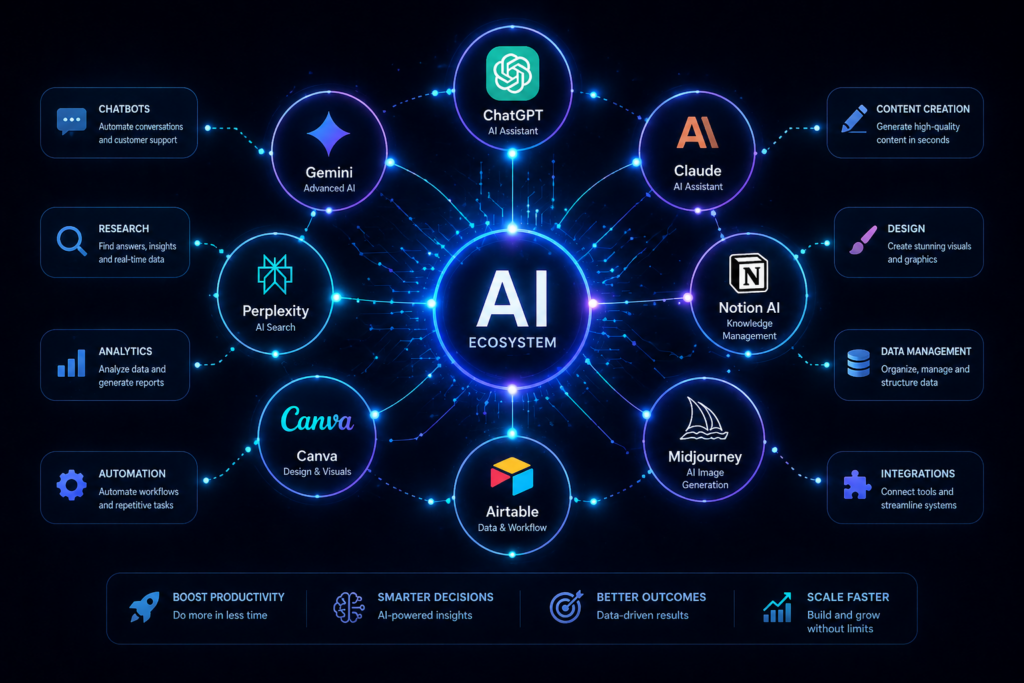
These tools form a lightweight but powerful stack for building, researching, and scaling digital products:
1. Google AI Studio
- Advanced environment for prompt engineering and experimentation
- Enables structured workflows for planning and development
- Prompt engineering
- Process design
- Experimentation
2. Gemini
The multimodal Open AI Tools and Integrated assistant model that understand and process images, Audio, Text and Video along with Code seamlessly. It could be integrated into Google AI Studio to improve productivity such as Planning, Creating, Researching and Prompt Customization and brainstorming. It can be integrated into Google AI, this gives room for users to Export and Download responses or created the resulto to Google workspace or Gmail files.
- Multimodal AI capable of processing text, images, audio, and code
- Deep integration with productivity ecosystems
- Ideal for research, ideation, and structured outputs
3. ChatGPT
- Core engine for reasoning, content generation, and code assistance
- Highly effective for drafting, debugging, and workflow optimization
4. Perplexity
- Research-focused AI with real-time information retrieval
- Useful for validation, trend analysis, and fact-checking
5. Claude / Canva
- Claude: Long-form reasoning and structured writing This belong to the family of large Language Models(LLMs) and a Conversational AI Assistant Developed by Anthropic. It performs tasks such as writing, Analysis, Coding, and Researching, the main difference between other open- source AI is that it uses a set of principles to guide responses but strong in reasoning, long-content handling and multi-lingual support and Coding.
- Canva: Visual content production and design automation, an AI in-built AI assistant that helps in creating and editing designs using plain prompt or voices. It can generate layout,images, Text designs and creatives automation the forms of presentation, Social media post, Article Blogs and Video Contents.
Why Most People Fail with AI (And How to Avoid It)
Using AI only for writing is equivalent to hiring a Formula 1 driver to run errands.
To unlock real value, AI must be integrated into:
- Execution pipelines
- Decision frameworks
- Automation layers
The competitive advantage lies in system design, not tool access.
From Gut Feeling to Pattern Recognition
Traditional decision-making relies on intuition without data.
AI-enhanced workflows replace this with:
- Pattern recognition
- Data-backed validation
- Iterative optimization
This is the shift from guessing → modeling → executing.
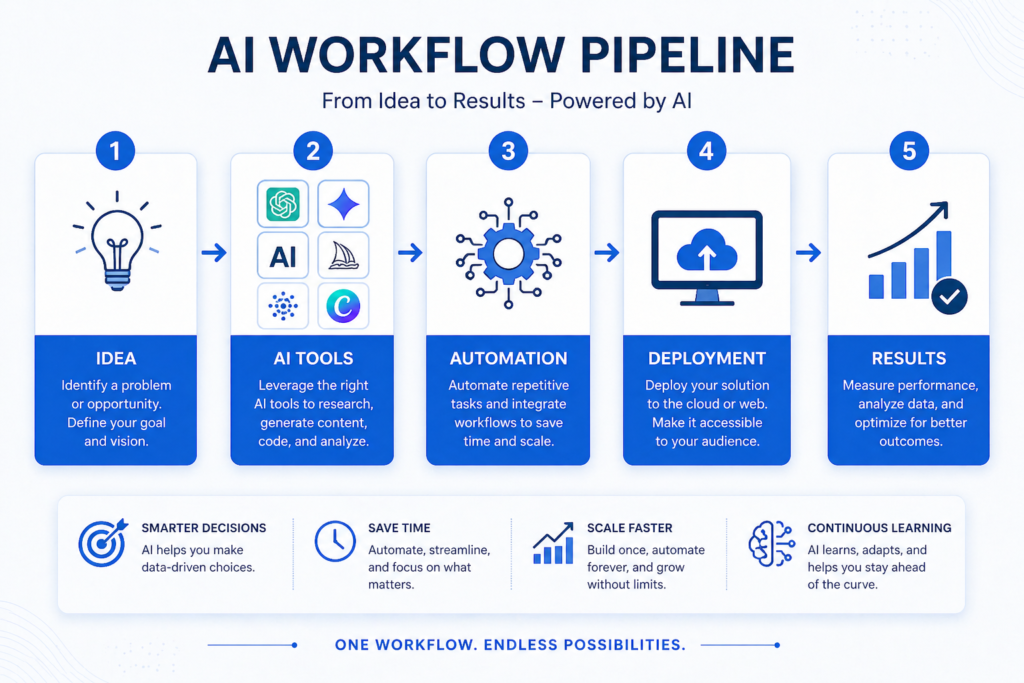
Building a Repeatable AI Workflow System
To scale effectively, workflows must be repeatable.
A simple framework:
- Idea Generation
Identify problems or opportunities - AI Processing
Use tools to research, validate, and generate solutions - Automation
Streamline repetitive tasks - Deployment
Launch your product or system - Optimization
Analyze results and improve
This cycle creates continuous growth.
Real-World Applications of AI Workflows
The same system can be applied across multiple domains:
- Content Creation: Blogs, videos, social media
- E-commerce: Product research, descriptions, automation
- Data Analysis: Insights, reporting, forecasting
- Digital Products: Apps, tools, platforms
The flexibility of AI makes it industry-agnostic.
The Competitive Advantage: System Thinking
Access to AI tools is no longer a competitive advantage.
Everyone has access.
The differentiator is:
How you use them.
Those who build systems will:
- execute faster
- scale efficiently
- outperform competitors
Conclusion: The New Digital Skillset
The barrier to entry has changed.
You no longer need:
- advanced coding skills
- large teams
- significant capital
What you need is:
- clarity of process
- the right AI tools
- consistency in execution
AI intuition is not a talent—it’s a framework.
And once you develop it, you move from:
consumer → creator → operator
Final Insight
The gap between people who use AI and those who build with AI is widening rapidly.
The question is:
Which side will you be on?

“AI enthusiast and Digital entrepreneur dedicated to helping others Leverage Technology for Financial Freedom”.
As an Amazon Associate, I earn from qualifying purchases.
`