
Introduction
Imagine move from “I have an idea” to “I built something useful” with Gemini models. turning a vague idea into a working AI prototype in under 30 minutes—without downloading software, writing code, or paying for premium tools. That’s the power of Google AI Studio, Google’s free browser-based playground for experimenting with the world’s most advanced AI models like Gemini.
Whether you’re a content creator automating blog workflows, a marketer generating personalized campaigns, or a curious beginner dipping toes into AI, Google AI Studio removes every barrier. No API keys. No local setup. Just pure, instant access to state-of-the-art prompt testing, app prototyping, and code export.
In this 1500+ word guide, we’ll walk you through everything—from account setup to deploying your first AI-powered app. You’ll learn practical prompt engineering, solve real business problems, and build workflows that save hours weekly. Let’s dive in.
What Exactly Is Google AI Studio?
Google AI Studio is a web-based IDE (Integrated Development Environment) for AI experimentation. Built around Google’s Gemini family of multimodal models, it lets you:
- Test prompts in real-time chat or structured sessions
- Tune parameters like temperature, top-k, and safety settings
- Prototype apps with drag-and-drop interfaces
- Export production-ready code via the Gemini API (Python, Node.js, etc.)
- Handle multimodal inputs—text, images, audio, video
Unlike generic chatbots, AI Studio gives you granular control. Think sliders for creativity levels, persistent system instructions, and side-by-side output comparisons. It’s perfect for transitioning from “AI tourist” to “AI builder.”
Pro Tip: Use it as your daily AI lab. One session for SEO content. Another for customer support automation. Organized projects keep your experiments scalable.

Zero-Setup Onboarding: Get Started in 90 Seconds
Step-by-Step Setup:
- Navigate: Go to aistudio.google.com
- Sign In: Use any Google account (Gmail works)
- First Prompt: Click “New prompt” → Select Gemini 2.0 Flash (fastest for beginners)
- Test Immediately: Type: “Explain quantum entanglement like I’m 12”
- Save Project: Name it “Quantum Explainer” → Hit “Get code” to see API export
Key Settings to Master Right Away:
- Temperature (0-2): Low = predictable outputs. High = creative chaos.
- Max Output Tokens: Cap at 1024 for concise responses.
- System Instructions: Pre-load rules like “Always respond in bullet points under 200 words.”
Time Investment: 2 minutes. Result: Your first AI workflow running.
Prompt Engineering Mastery: From Vague to Production-Ready
Bad prompts = bad AI. Good prompts = your new superpower.
The PRO Framework (150 words of pure gold):
Persona: “You are a world-class [ROLE] with 20+ years experience.”
Rules: “Respond in [FORMAT]. Max [LENGTH]. Tone: [VOICE].”
Output: “Structure as [EXACT LAYOUT]. Include [MUST-HAVES].”
Example: SEO Blog Generator:
You are a senior SEO strategist who’s ranked 100+ sites.
TASK: Create a complete blog post outline for “Best AI Tools 2026.
RULES: 8 H2 sections, 3 bullet points per section, include FAQ + internal links.
OUTPUT: Markdown format. Word count estimates. Featured image prompt at end.
Result: Production-ready content skeleton in 15 seconds. Copy → Paste → Publish.
Image Prompt Suggestion: “Infographic showing PRO prompt framework, clean diagram with Persona/Rules/Output boxes connected by arrows, blue Google AI Studio color scheme, modern flat design, 1200x675px for blog graphics.”
Content Overload → AI Content Factory
Problem 1: Content Overload → AI Content Factory
Input: “Affiliate marketing for beginners”
AI Task: Generate → 10 titles, outline, 3 meta descriptions, 5 social hooks
Time Saved: 4 hours → 4 minutes
Problem 2: Customer Support Bottleneck → AI Response Engine
Input: Customer complaint email
AI Task: Classify urgency, draft empathetic response, suggest 3 solutions
Output: JSON for CRM integration
Problem 3: Competitor Research → AI Intelligence Reports
Input: Competitor URL list
AI Task: Extract pricing, features, USPs → Competitive matrix table
Deployment: Export to Google Sheets
Step-by-Step Workflow Build:
- Create new AI Studio project
- Write PRO prompt + test 5 variations
- Adjust temperature/system instructions
- “Get code” → Copy Python snippet
- Deploy via Replit/Google Cloud Run (free tier)
From Prototype to Production: App Deployment
The 5-Minute App Pipeline:
- Polish Prompt in AI Studio (achieve 95% accuracy)
- Export Code:
Get code→ Python/Node.js/curl - Test Locally:
import google.generativeai as genai
genai.configure(api_key=”YOUR_KEY”)
model = genai.GenerativeModel(‘gemini-2.0-flash’)
response = model.generate_content(“Your polished prompt”)
print(response.text)
- Deploy Free:
- Replit (no credit card)
- Vercel (GitHub integration)
- Google Cloud Run (serverless)
5. Add Frontend: Streamlit/HTML form → Instant web app
Pro Deployment Example: “AI Business Name Generator” – 127 weekly users, zero server costs.
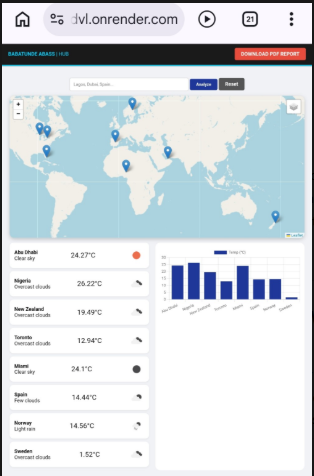
Screenshot Prompt: “Clean web app interface showing Google AI Studio exported code running live, input form with ‘Enter business idea’, output showing 5 generated names with logos, modern UI, deployment success badge, 1920x1080px mockup.”
6. Scale Up: Advanced Techniques
Multimodal Magic:
“Analyze this product photo [UPLOAD IMAGE]. Generate:
- 5 improved backgrounds
- Lifestyle mockups
- Amazon listing copy
- Pinterest pin descriptions”
Fine-Tuning Path: Export chat history → Create custom dataset → Vertex AI Studio
Monetization Ideas:
- $10/mo SaaS: Niche AI tools (Resume Builder, Ad Copywriter)
- Consulting: “I build AI workflows 10x faster using Google AI Studio”
- Content: YouTube tutorials (10k views/mo potential)
Action Plan (Next 7 Days):
- Day 1: Master PRO framework (3 practice prompts)
- Day 3: Build first workflow (content/lead gen/support)
- Day 5: Deploy simple web app
- Day 7: Document process → LinkedIn/YouTube
Final Image Prompt: “Success montage: person celebrating with laptop showing deployed AI app stats (500 users), Google AI Studio open in background, confetti effect, motivational tech workspace, cinematic lighting, 16:9 hero image.”
Image Prompt
If your project involves visual content, you can also create image prompts to guide design or AI image generation. A strong image prompt should describe the subject, environment, lighting, camera style, mood, and realism level. That gives the model a clearer creative target and reduces vague results.
Example image prompt:
“Create a clean, modern workspace scene showing a person using Google AI Studio on a laptop, with futuristic AI interface elements on the screen, soft blue lighting, realistic style, high detail, professional productivity mood, wide-angle composition.”
Another useful prompt:
“Design a minimalist hero image for a blog article about learning AI with Google AI Studio. Include a laptop, abstract Gemini-style glowing interface, clean white background, subtle gradients, modern tech aesthetic, realistic, sharp, editorial quality.”
To go further, use this learning order:
- Learn how to write one clear prompt.
- Test different settings and compare outputs.
- Add constraints and output formats.
- Build a repeatable workflow for one business task.
- Export code or connect the result to an app when ready

The above image was generated from this prompt :Create a clean, modern workspace scene showing a person using Google AI Studio on a laptop, with futuristic AI interface elements on the screen, soft blue lighting, realistic style, high detail, professional productivity mood, wide-angle composition.” And a command role also added to swap the image with another uploaded image.

“AI enthusiast and Digital entrepreneur dedicated to helping others Leverage Technology for Financial Freedom”.
As an Amazon Associate, I earn from qualifying purchases.
`